DCI · SMPTE · Interop
Create DCI-certified cinema DCPs from your browser.
Upload your master and Beka DCP analyzes it, configures itself, encodes it, verifies it and gives you a preview. No software, no technical knowledge, and your master always protected.
- Smart auto-configuration
- dcp_inspect verification
- In-browser preview
- You only pay if the DCP is correct
From master to DCP in four steps
A guided flow designed so you need to know nothing about digital cinema.
-
01
Ingest
Upload the master with resumable upload (it survives connection drops). It is checked in your own browser before anything is uploaded.
-
02
Configure (or not)
The app reads the file and fills in resolution, aspect, frame rate, audio and bitrate by itself. You just confirm.
-
03
Convert
Encoding runs on the server with a real-time progress bar, and you can cancel it whenever you want.
-
04
Result
Download the DCP (ZIP or individual files), watch the preview and the verification report in PDF.
Or send it straight to festivals and venues via FileMail, without downloading it yourself. You choose how long the link stays live: from 1 month up to 3 years.
It configures itself by analyzing your file
Forget about parameters you don't know. Beka DCP inspects the master and picks the right values; you can change them if you want, but you never have to touch anything to get a valid DCP.
- Resolution → 2K or 4K based on the actual dimensions
- Aspect → Flat (1.85) or Scope (2.39)
- Frame rate → snapped to 24 / 25 fps
- Audio → 2.0, 5.1 or 7.1 based on the channels
- Bitrate → optimized for the resolution
Verified before and after encoding
So it reaches the cinema right the first time, with no surprises in the theater.
Before encoding
- Master analysis in the browser (MediaInfo)
- Warning if the master is overkill and a mezzanine is advisable
- Server space check before uploading
- Detection of audio issues (channels, peaks, silence)
After encoding
- Structural DCI validation with dcp_inspect
- Checking of Original Version and Version File
- Classified result: errors, warnings and info
- Downloadable technical report in PDF
Preview of the real DCP, in the browser
Don't just rely on a report: watch the generated DCP before sending it to the cinema. It streams in your browser, with subtitles burned in place.
- HLS + MP4 playback of the output DCP
- Subtitles rendered over the image
- Multichannel audio mixed down for review
 DCP preview
Compatible with the digital cinema standard
What any theater projector expects.
One flat price per DCP, no surprises
You pay a single price for each DCP you create. Choose the type and resolution; what you see here is what you pay, verification and preview included. And you are only charged if the DCP is correct: the amount is held and is not captured until your DCP passes the quality check.
Still image
A DCP from a still image.
- One still image to DCP, up to 10 min
- Same price in 2K and 4K
- DCI verification and preview
- 1-month download included (6 months +€2, 1 year +€4, 3 years +€12)
Trailer / Teaser
For trailers, teasers and short spots.
- Up to 3 min long
- Same price in 2K and 4K
- DCI verification and preview
- 1-month download included (6 months +€3, 1 year +€6, 3 years +€18)
- Technical report in PDF
Short film
For festival short films.
2K 59 € · 4K 79 €
- Up to 40 min long
- 2K and 4K priced separately
- DCI verification and preview
- 1-month download included (6 months +€6, 1 year +€12, 3 years +€36)
- Technical report in PDF
Feature film
For feature-length films.
2K 149 € · 4K 199 €
- No duration limit
- 2K and 4K priced separately
- DCI verification and preview
- 1-month download included (6 months +€15, 1 year +€29, 3 years +€87)
- Technical report in PDF
Prices exclude VAT. The applicable tax is calculated at checkout based on your country; EU businesses outside Spain with a valid VAT number pay no Spanish VAT (reverse charge).
The download link duration (from 1 month up to 3 years) is chosen when creating the DCP, and can be extended later from the dashboard. Supplements exclude VAT.
Your master, protected
- Encrypted in transit
- The entire upload travels over HTTPS/TLS through Cloudflare.
- Our own servers
- Your material is hosted on our own infrastructure; we don't resell it or upload it to public clouds.
- Privacy per account
- Each project is private to its owner. Nobody else can see or download your files.
- Automatic master deletion
- The master is automatically deleted from the server 72 hours after upload.
- Delete it whenever you want
- You can delete your master from the server instantly, yourself, from the app.
- Encrypted DCP (KDM)
- If needed, the delivered DCP is encrypted with KDM per the SMPTE standard.
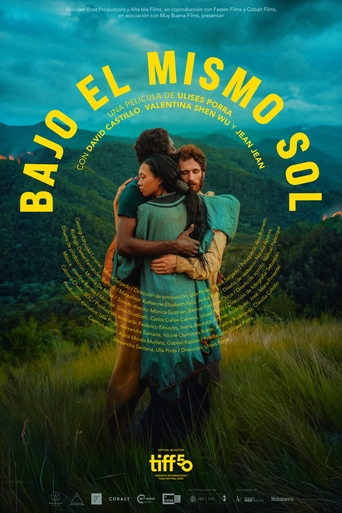
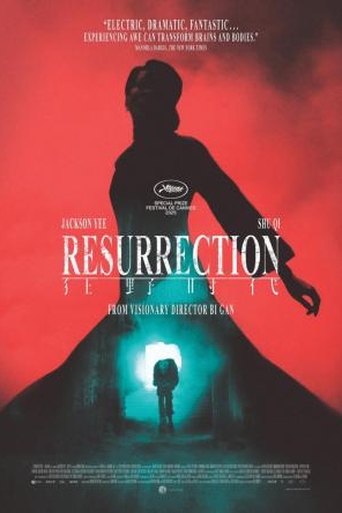
Latest films created with Beka DCP
A small sample of the DCPs that have passed through here.











Frequently asked questions about DCPs
What is a DCP (Digital Cinema Package)?
A DCP is the standard format cinemas and film festivals use to screen films: a package of JPEG 2000 image files and PCM audio following the DCI standard. It is the digital equivalent of a 35 mm print and the only format professional cinema projectors accept.
Do I need a DCP?
If your film will screen in a cinema or at a festival with professional projection, yes: the DCP is the only format DCI projectors accept. If it will only be watched online or on home screens, you don't need one. When in doubt, check the festival's rules or your acceptance email.
How much does it cost to create a DCP?
One fixed price per DCP, with no per-minute rates: still image 19 €, trailer 29 €, short film 59 € in 2K (79 € in 4K) and feature film 149 € in 2K (199 € in 4K), VAT excluded. Verification, preview and technical report always included.
How long does my DCP take to generate?
It depends on the length, the resolution and the current queue: from a few minutes for a trailer to a few hours for a 4K feature film. The process starts the moment you submit the job — no multi-day waits — and you can watch the progress in real time from the app.
SMPTE or Interop: which one do I need?
SMPTE is the current standard and the recommended default choice; Interop is the legacy format some cinemas and festivals still request for compatibility with older projectors. Beka DCP generates both: you pick one in the configuration step.
Which master formats do you accept?
The usual video containers and codecs: ProRes, DNxHD/DNxHR or H.264/H.265 in .mov, .mp4 or .mkv, among others. For still-image DCPs: JPEG, PNG, TIFF or BMP. When you upload your master, the app analyses it and warns you instantly if it detects any problem.
Is it safe to upload my master?
Yes: the upload travels encrypted over HTTPS, every project is private to its account, and the master is automatically deleted from our servers 72 hours after upload — or earlier, if you delete it yourself from the app.
What happens if my connection drops while uploading?
Nothing is lost: the upload resumes automatically from the exact point where it stopped, without starting over. It works in the browser, with no software to install, and covers the master, audio tracks and subtitles.
What are an OV and a VF?
The OV (Original Version) is the complete DCP with the original version of the film. A VF (Version File) is a lightweight DCP that reuses the OV's picture and adds different audio or subtitles: for example, a dubbed or subtitled version for another territory. Beka DCP generates the OV and its VFs.
Can I add subtitles to the DCP?
Yes. We accept the usual subtitle formats (SRT, STL, ASS, VTT, TTML…), they are converted to the DCP standard, and you can check them rendered in the browser preview before downloading anything. One subtitle file is supported per version (OV and VF), with its own language tag.
Do you support 5.1 or stereo audio?
Yes: stereo and 5.1, with configurable channel mapping, using either separate audio tracks or the audio embedded in your master — the app analyses the file and proposes the mapping automatically.
Will the DCP work for festivals?
Yes: the DCP complies with the DCI standard, is named following the ISDCF convention and passes an automated verification (dcp_inspect) with a PDF technical report you can attach for the festival. The Short film product covers up to 40 minutes, the usual short-film limit.
How do I know the DCP works before sending it?
Every DCP is automatically verified after encoding and you can also play a real preview in your browser — subtitles included — before downloading it. You also receive the verification report as a PDF.
How long is my DCP available?
Your download link (FileMail) is valid for the period you choose when creating the DCP — 1 month included, extendable up to 3 years, and also later from the dashboard — and you can use it as many times as you need, designed to cover a festival run. The files stay on our server for 7 days after encoding, and the master you upload is deleted after 72 hours.
Does uploading my master affect my rights?
No. You keep all rights and copyright to your material: we only process it to generate the DCP you order and never use it for anything else. It's in writing in our terms of service.
What if the DCP comes out wrong?
You don't pay. The amount is only authorised when you place the order and is not captured until the DCP passes quality verification; if it fails, the authorisation is released and you are charged nothing.
Try Beka DCP with your next master
Create your account and get your first verified DCP in minutes.
Create accountGot questions? Personalized support
If you have any questions about using the app or need help with a project, email or call us. We'll assist you personally.